
Data
The “Data” module is a core component of the QpiAI Pro platform, enabling users to efficiently manage their datasets. It provides functionalities to upload, visualize, and annotate data, supporting both image and Video Upload and Frame Conversion datasets. This module forms the foundation for building and refining AI models by ensuring organized and accessible data management.
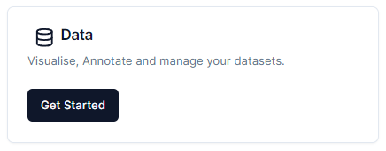
To go to datasets hit the “Get Started” button or hit the data icon from the side panel. This will redirect you to the QpiAI Pro’s data lake page. Here you can see the uploaded datasets along with the metadata information and the dataset creation date.
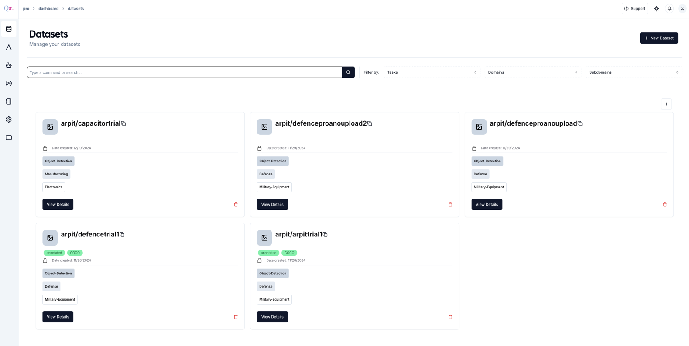
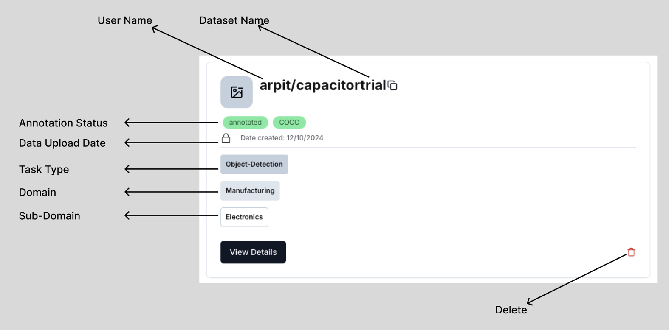
The metadata information about the dataset consists of the following:
- User Name: The details of the user who uploaded/created the dataset.
- Image Upload
- Video Upload and Frame Conversion
- Dataset Name: Name of the dataset.
- Annotation Status: Post annotation the data would be marked as `annotated` (Unannotated dataset will not show this status information)
- Annotation format: The annotation format will be displayed as `COCO` as generated by the auto annotation / manual annotation tools. (Unannotated dataset will not show this status information)
- Data Upload Date: The date on which the dataset was uploaded.
- Task Type: The task description
- Domain: The respective domain tagged while uploading the dataset
- Subdomain: The respective subdomain tagged while uploading the dataset
- Delete: Delete the dataset
Changing screenshot
Last updated on