
Logging QpiAI Pro Platform - Initial Steps:
-
Getting started with QpiAI Pro is quick and straightforward. Follow these steps to set up your account and begin your AI journey:
-
Access the Platform
-
Login to QpiAI Pro
- On the login screen, enter your email address to receive the login link via email.
Click on the “Enter your Email to Continue” button to proceed.
- Check your email inbox/spam for the sign-in link. Click on the “Get Started Now” button to access the dashboard of QpiAI Pro platform.
-
Explore the Dashboard
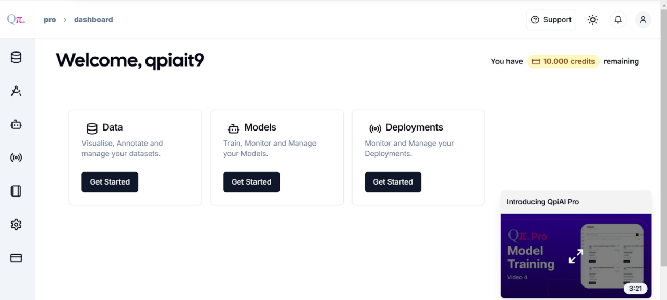
- Upon successful login, you will be redirected to the dashboard.
- The dashboard provides an overview of key sections, including datasets, models, annotations, and recent activities.
- Once you have entered valid credentials Click the “Sign in with Credentials” button.
-
Navigating Key Features
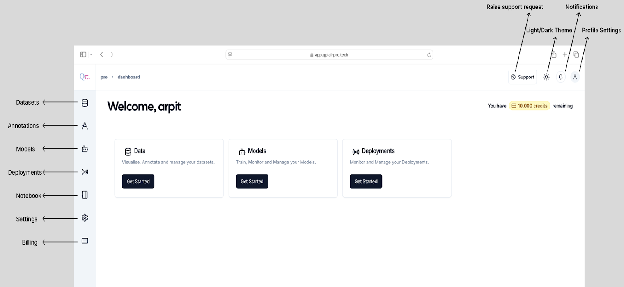
- Use the intuitive sidebar to access services like Data Management, Annotation, Model Training, and Deployment.
-
Access Help and Resources
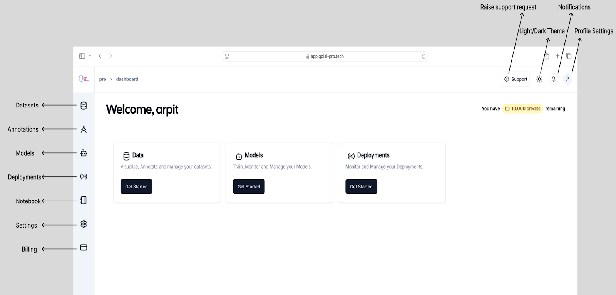
- Contact support via the “Support” option in the settings for any technical assistance.
-
With these steps, you are now ready to explore and utilize the full potential of QpiAI Pro to create and deploy impactful AI solutions! Now let us take a deep dive into various functionalities and features of the QpiAI Pro platform
Last updated on